

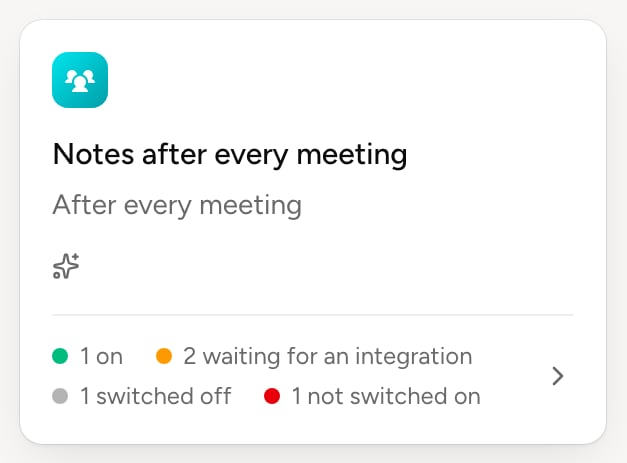
In Routines, Organization tab, the By your organization section lists deployed routines. The bottom of each card sums up where everyone stands. Click a card to open the routine’s follow-up.
The routines deployed in the organization
A deployed routine's follow-up
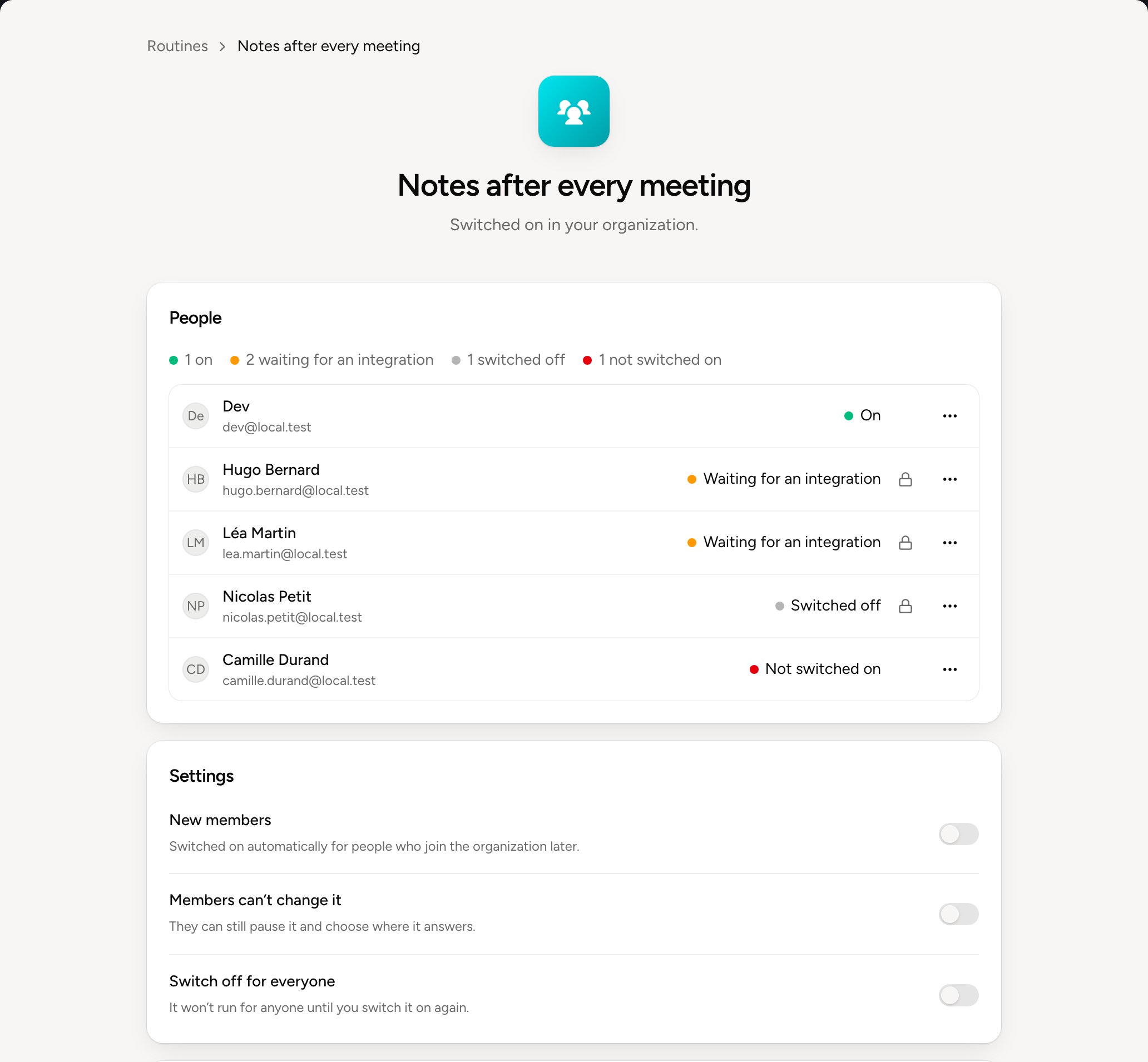
People shows where everyone stands. The padlock marks a locked routine. Each person’s ⋯ menu offers, depending on their state:
  • Switch on, to give them the routine or switch it back on;
  • Switch off, to stop it for this person only;
  • Prevent changes or Allow changes;
  • Use their changes for everyone, when the person improved it.
Settings applies to everyone:
  • New members switches the routine on, or not, for people who join next;
  • Members can’t change it locks everyone’s routine. They can still pause it and choose where it answers;
  • Switch off for everyone stops it for all until you switch it on again. Someone who had paused theirs finds it still paused.
Delete deletes it for everyone. The Balt team’s routines can’t be deleted: they’re switched off.

Improve the routine for everyone

Your own routine stays editable. To improve the routine for the whole organization, change yours by asking Balt, or allow a colleague to change theirs. Then, under People, choose Use their changes for everyone on the person whose version should serve everyone. If other people changed their version, choose Keep their versions or Replace their versions.