

Any member of the organization can share one of their personal routines.
1

Open the Discovery tab

In Routines, Discovery tab, click Share a routine.
2

Pick the routine

In Routine, pick one of your routines. A Balt team routine or a routine deployed by the organization can’t be shared.
3

Write the card

Title and Description are what your colleagues read. Message sent to Balt is the request Balt gets when someone uses the card: it starts from your routine’s instructions, so adapt it to speak to everyone. Pick an Icon and a Colour.
4

Share it

Click Share. The card appears for the whole organization right away, in the Organization section of the Discovery tab.
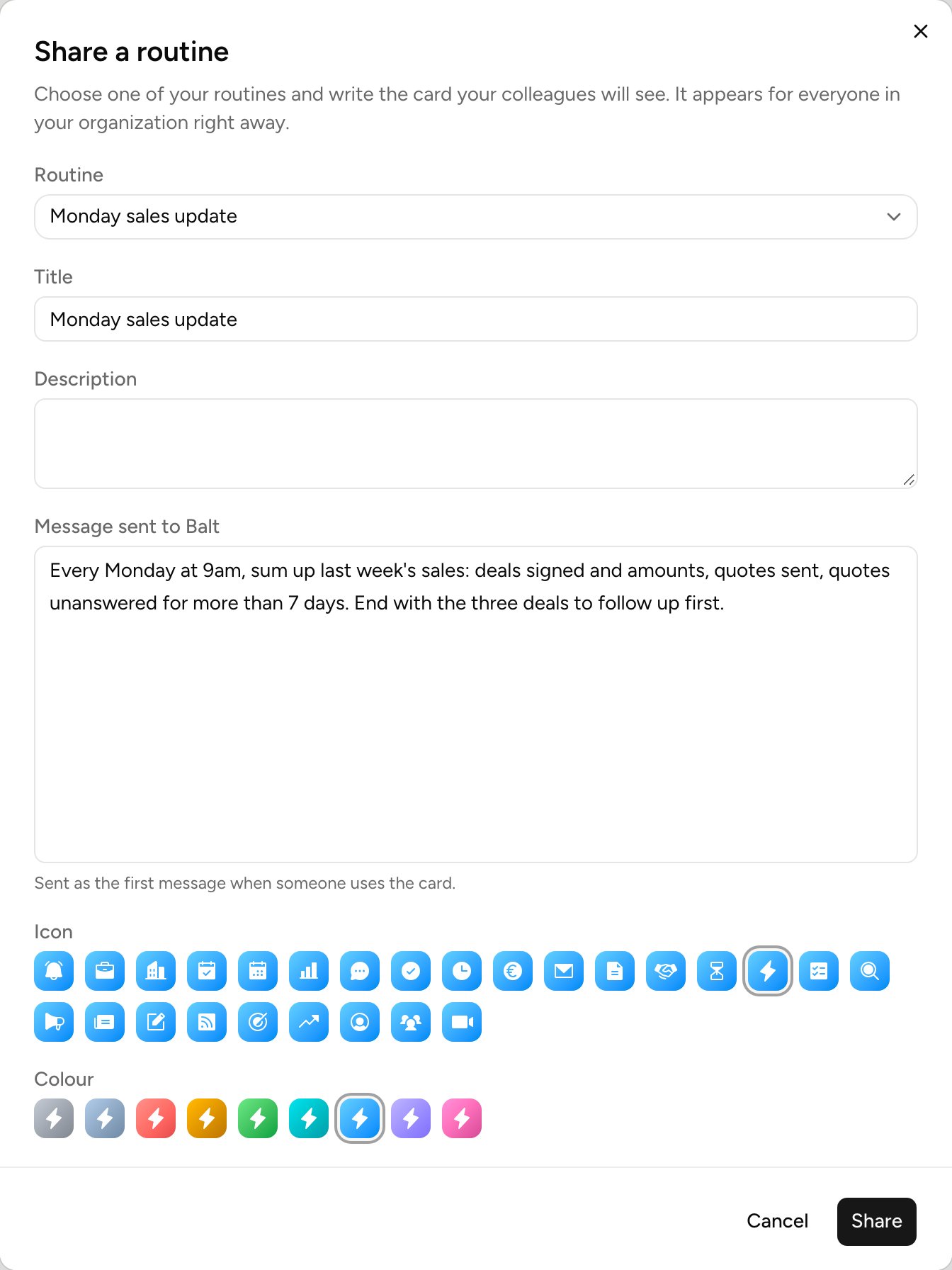
Share a routine

When a colleague uses the card

They click the card, then Ask Balt. Balt shows them a preview built from their own data and waits for their confirmation. The routine created is theirs: they change it, pause it or delete it like any of their routines. The card is a copy of the text at the time it was shared. Changing your routine doesn’t change the card. Editing the card doesn’t change routines already created from it, and removing it doesn’t delete them. To switch a routine on for everyone, without each person asking for it, see Deploy to organization. The card’s author and administrators can edit or remove it, from the card.